Azure Live Training & Certification
100% Placement Assistance with this Live Hands-on Azure training with Interactive Labs.
Apply Now
Eligibility: Graduated or Pursuing Graduation
Learn With Our World Class Azure Curriculum
- Why Cloud Computing?
- On-premise data center costs
- On-premise data center common issues
- Cloud Computing basics
- Azure regions
- Azure availability zones
- Azure region pairing
- Azure special regions
- Understanding IaaS
- Understanding PaaS
- Understanding SaaS
- Creating an Azure Account
- Azure Subscriptions
- Azure Resource Groups
- Configuring VMs
- Understanding VMs
- Creating Linux VMs
- Creating Windows VMs
- Configuring VM network security groups
- Accessing Linux VMs using SSH
- Accessing Windows VMs using RDP
- Accessing VMs using Bastion
- VM public and private IPs
- VM dynamic and static IPs
- Understanding VM Extensions
- Add data disks
- Transferring data disks between VMs
- Configuring server-side encryption
- Configuring high availability
- Deploy and configure VMSS
- Creating VMs using Azure CLI
- Configuring Azure Container Instances
- Creating Kubernetes Cluster
- Running the application on AKS
- Upgrading AKS Cluster
- Create and configure Azure App Service
- Creating an App Service Plan
- Create an App Service
- Configuring deployment settings
- Storage Accounts
- Understanding storage accounts architecture
- Creating storage accounts
- Configuring storage accounts
- Generating SAS tokens
- Managing storage account access keys
- Configuring access to Azure files
- Install Azure Storage Explorer
- Copy data using AZCopy
- Implementing Azure Storage replication
- Configure blob object replication
- Azure data import
- Azure data export
- Create an Azure file share
- Create and configure the Azure File Sync service
- Configure storage tiers
- Configure blob lifecycle management
- Implement and manage virtual networking
- Create and configure virtual networks
- Configure private and public IP addresses
- Configure user-defined network routes
- Implement subnetting
- Configure endpoints on subnets
- Configure Azure DNS – Private
- Configure local peering
- Configure global peering
- Create security rules
- Implement Azure Firewall
- Configure a load balancer
- Configure Azure Application Gateway
- Troubleshooting common load balancing issues
- Use Azure Network Watcher
- Configure Azure Monitor for Networks
- Troubleshoot virtual network connectivity
- Create and configure Azure VPN Gateway
- Understand Azure Express Route
- Understand Azure WAN
- Troubleshoot external networking
- Create and interpret metrics
- Configure Azure Monitor logs
- Create a Recovery Services Vault
- Performing Azure VM backup
- Performing on-premise VM backup
- Configuring backup policy
- Restoring from backups
- Performing site-to-site recovery using Azure Site Recovery
- Manage Azure Active Directory objects
- Create users and groups
- Manage user and group properties
- Performing bulk user changes
- Configuring Azure AD Join
- Understanding role scope levels
- Providing access at different scopes
- Configure resource locks
- Applying and managing tags
- Azure ARM Introduction
- Creating Azure Resource Manager templates
- Configure a storage account template
- Using template variables
- Using template parameters
- Deploying from a template
Learning Format
Online + Classroom
Live Classes
25 Hours
Career Opportunities
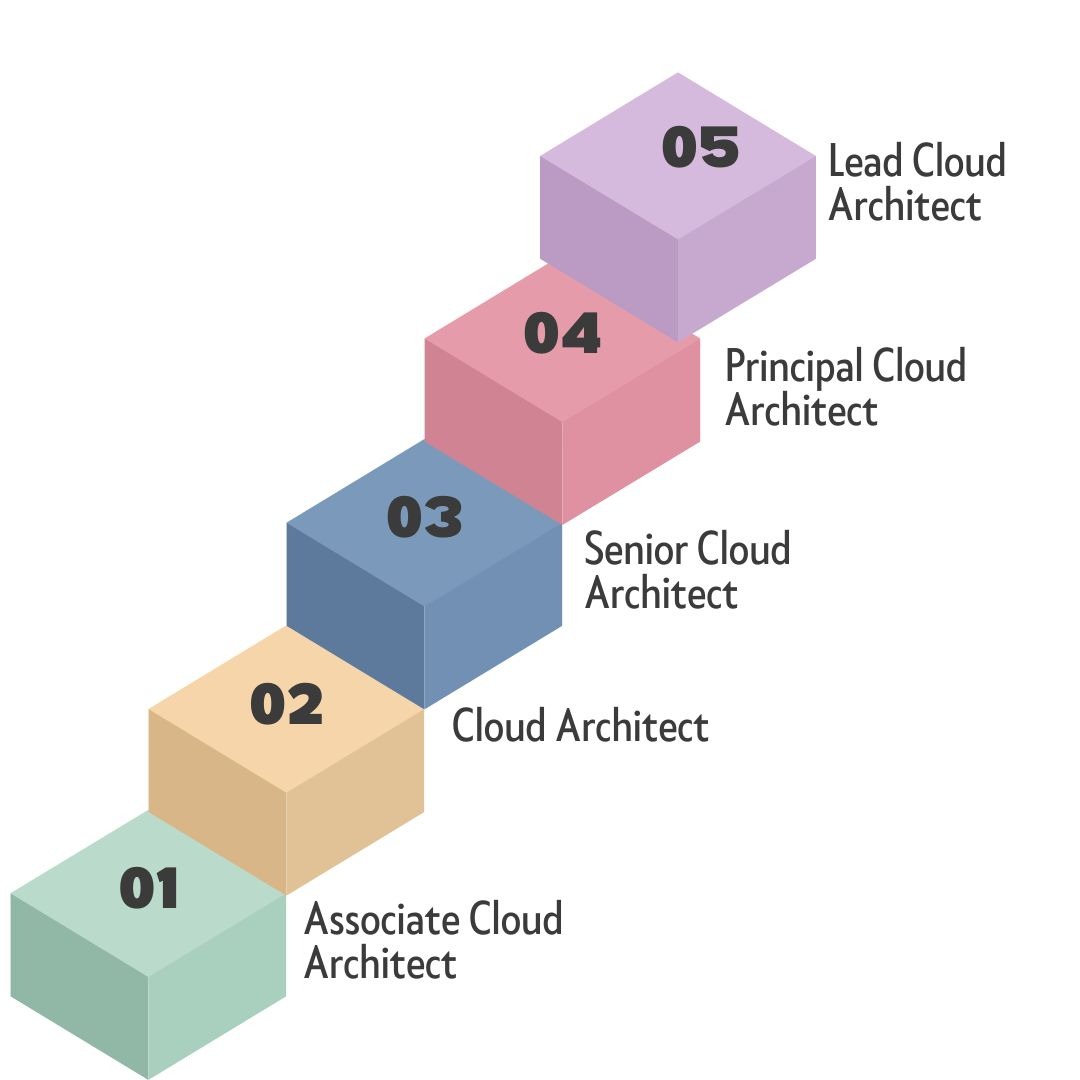
Salary Growth in next 5 Years
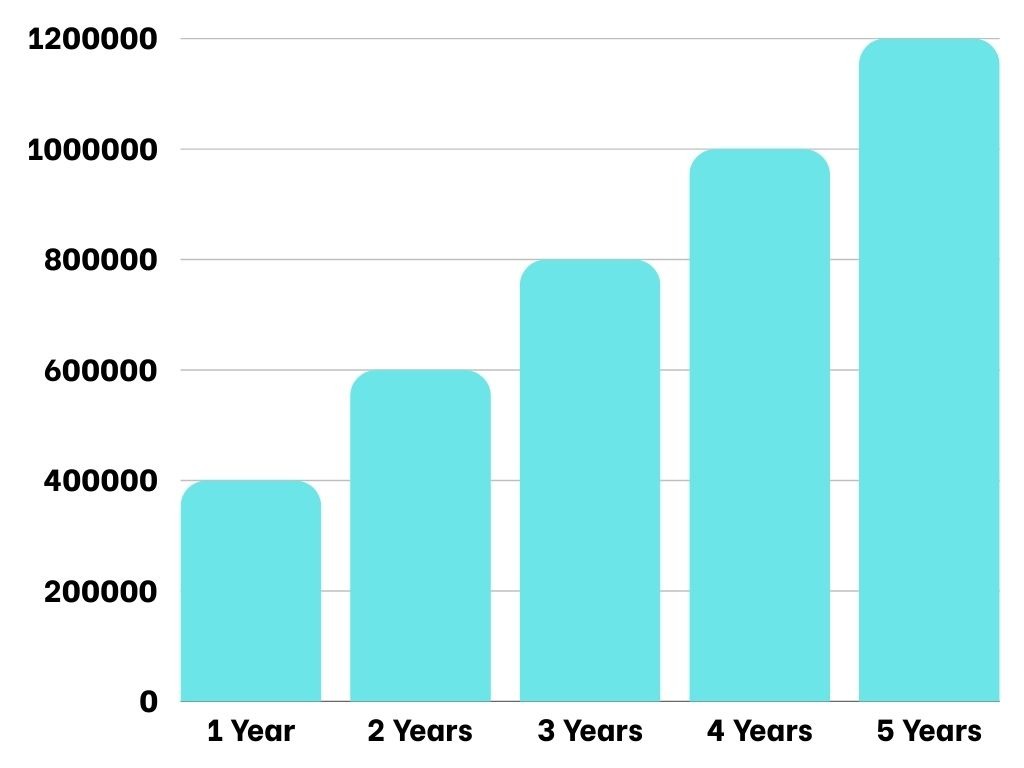
Career Path in next 5 Years
Free Demo Session Hindi
- This is a Live Demo from our Azure Az-104 Training.
- In this demo, the instructor is teaching how to deploy an Application Gateway to route traffic on Virtual Machines across multiple Networks.
Free Demo Session English
- This is a Live Demo from our Azure Az-104 Training.
- In this demo, the instructor is teaching how to create Windows and Linux Virtual Machines, Connect to those Virtual Machines and a Run a Webserver Application on them.
Globally Verifiable Azure Certificate
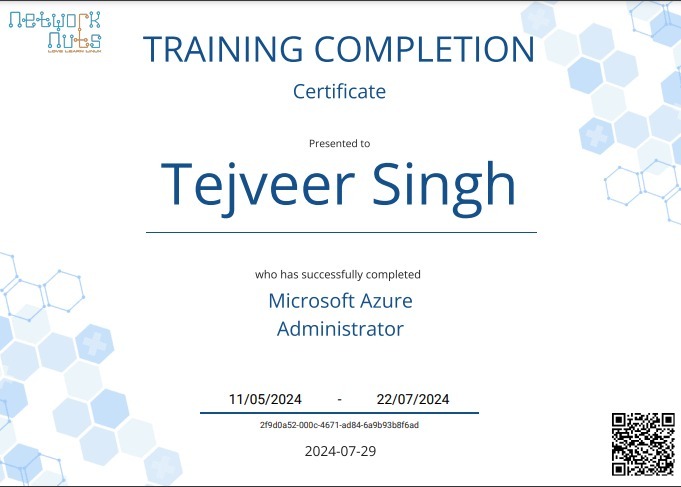
- Each certificate comes with a QR code that can be used to verify the authenticity of the certificate.
- Certificates can also be directly added into your LinkedIn profile to showcase your DevOps Skills.
Upcoming Schedules
Schedule 1
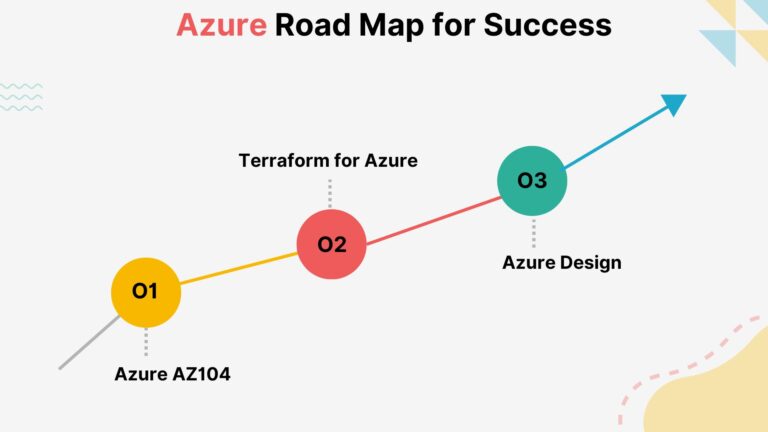
Azure Terraform
Time: 03:00PM – 04:30 PM IST
Time: 05:30AM – 07:00AM EST
Time: 07:30PM – 09:00PM
Days: Monday to Thursdsay
Mode: Online
Starting Date: 14th July 2025
Schedule 2
Completely Booked
Career Services by Network Nuts

Placement Assistance
Placement opportunities are provided once the candidate has successfully completed their training as well as the given assignments.
Access to exclusive Jobs
With our 20 years of experience, we have partnerships with hundreds of organisations to get priority job openings.
Mock Interview Preparation
Students will go through a number of mock interviews conducted by technical experts who will then offer tips and constructive feedback for reference and improvement.
Non-Technical Interview Preparation
Students will also receive 4 exclusive sessions with an Industry HR to understand the non-technical questions asked and how to properly answer them.
Resume & LinkedIn Profile Building
Get assistance in creating a world-class resume & Linkedin Profile from our career services team and learn how to grab the attention of the hiring manager at profile shortlisting stage
Frequently Asked Questions
Azure AZ-104 is a certification exam for Microsoft Azure Administrators, covering the basics of managing cloud services that span storage, networking, and compute cloud capabilities.
IT professionals with experience in managing cloud services, particularly those looking to validate their skills as Azure Administrators.
Candidates should have at least six months of hands-on experience with Azure services and a basic understanding of core Azure services, Azure workloads, security, and governance.
The exam covers topics like managing Azure identities and governance, implementing and managing storage, deploying and managing Azure compute resources, configuring and managing virtual networks, and monitoring and backing up Azure resources.
The exam typically includes multiple-choice questions, drag-and-drop scenarios, and case studies. The number of questions can vary, but it usually ranges between 40-60 questions.
The passing score for the AZ-104 exam is 700 out of 1000
The exam duration is about 120 minutes, but candidates should allow extra time for instructions, breaks, and surveys
The exam fee is typically $165 USD, though it can vary by region and currency.
Preparation can include online courses, official Microsoft Learn resources, hands-on practice in an Azure environment, and using practice exams to assess your readiness.
While there are no specific labs during the exam, practical, hands-on experience with Azure is critical for success.
Yes, you can retake the exam. If you fail on your first attempt, you must wait at least 24 hours before retaking it. Subsequent attempts require a 14-day waiting period.
The AZ-104 certification is valid for one year from the date of passing. After that, you will need to renew your certification.
If you do not renew, your certification will expire, and you will need to pass the exam again to regain certification.
Microsoft Learn, Azure documentation, official practice tests, study guides, online training courses, and Azure’s hands-on labs are valuable resources.
An Azure Administrator manages Azure subscriptions, implements storage solutions, configures virtual networks, manages identities, and monitors and backups Azure resources.